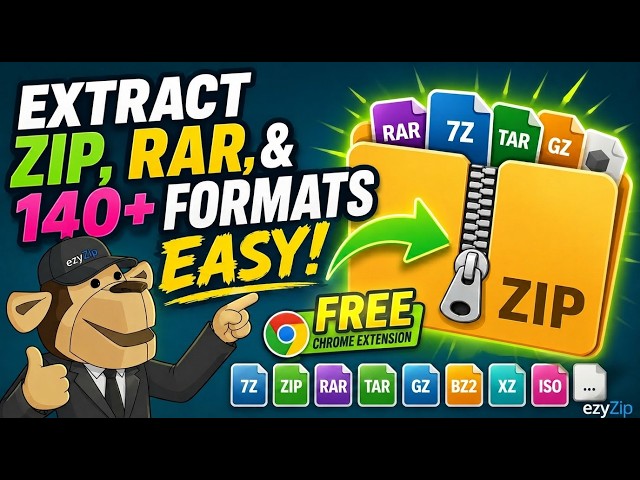

📦 Extract ZIP, RAR & 140+ Formats with Chrome Extension | Free & Local
Apr 27, 2026

Extract archive files right in your Chrome browser — no software install, no uploads, no waiting. The free ezyZip File Extractor extension lets you right-click any archive link on the web and open it instantly with ezyZip.com. Your files never leave your machine.
🔗 INSTALL THE FREE EXTENSION
https://chromewebstore.google.com/detail/ezyzip-file-extractor/onahphjemcklekcejkblaghjipokancd
✅ WHY USE IT
- Works on any website. Solves the CORS issue that breaks other in-browser extractors
- Files never leave your computer, everything is decompressed locally in your browser
- Supports 140+ archive formats
- Handles password-protected ZIP, RAR, and 7Z
- Available in 15 languages
- 100% free
📦 SUPPORTED FORMATS (140+)
Common: ZIP, ZIPX, RAR, 7Z, TAR, TAR.GZ, TAR.BZ2, TAR.XZ, TAR.ZST, TAR.LZ, GZ, BZ2, XZ, ZST, LZ4
Disc images: ISO, BIN/CUE, NRG, CCD, MDS, CDI, IMG, DMG
Installers & packages: MSI, EXE, DEB, RPM, CAB, PKG, XAR, SFX
Mobile & apps: APK, XAPK, AAB, IPA, IPSW, CRX, XPI
Java & web: JAR, WAR, EAR, WHL, ASAR
Virtual disks: VDI, VMDK, VHD, VHDX, QCOW2, WIM
Filesystems: EXT2, EXT3, EXT4, HFS, SQUASHFS, UDF, FAT
Game archives: PAK, VPK, WAD, PK3, PK4, GMA
Minecraft: MCPACK, MCWORLD, MCADDON, MCTEMPLATE
Comic books: CBR, CBA
Legacy & retro: ARJ, LZH, LHA, ACE, ZOO, ARC, SIT, LZX, ZPAQ, PEA
...and many more. Full list: https://www.ezyzip.com/extract-files-online.html
🔒 PRIVACY
The extension doesn't collect data, doesn't read page content, and doesn't transmit your files anywhere. Everything is extracted locally in your browser.
#chromeextension #ezyzip #archiveextractor #zip #rar #7z #extractfiles #freetool #browserextension #localextraction
TWITTER: https://twitter.com/ezyZip
FACEBOOK: https://www.facebook.com/ezyzip/
LINKEDIN: https://www.linkedin.com/showcase/ezyzip/
PINTEREST: https://www.pinterest.com.au/ezyzip
MEDIUM: https://medium.com/@ezyZip
Show More Show Less