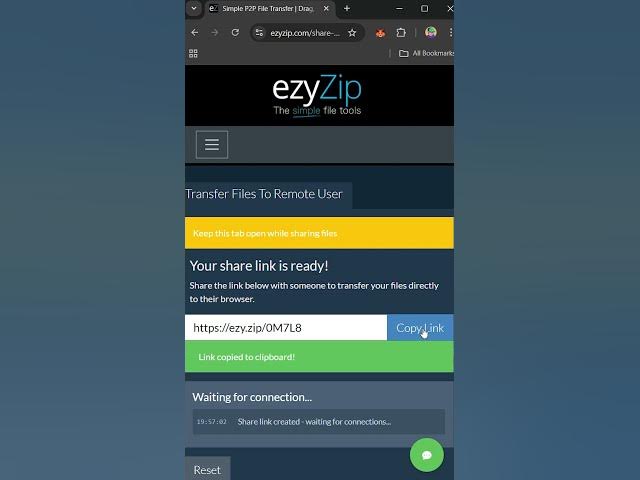

📤 Transfer Files to Remote User on Your Browser | P2P File Transfer
Sep 24, 2025

Need to send files to someone? Do it right in your browser - no apps needed!
P2P File Transfer Tool: https://www.ezyzip.com/share-files-en.html
QUICK 3 Steps:
1. "Select files to transfer"
2. Click "Transfer Files"
3. Share link → Keep browser open → Wait until transfer completed
#FileTransfer #AndroidTips #iPhoneTricks #P2PTransfer #PhoneHacks #MobileApps #FilesOnTheGo #TechTips #Shorts
TWITTER: https://twitter.com/ezyZip
FACEBOOK: https://www.facebook.com/ezyzip/
LINKEDIN: https://www.linkedin.com/showcase/ezyzip/
PINTEREST: https://www.pinterest.com.au/ezyzip
MEDIUM: https://medium.com/@ezyZip
Show More Show Less #Hobbies & Leisure